Sprint 1 Demo
This shows our sprint 1 prototype in action. It is using a placeholder infrared sensor to sense when something covers it in shadow. When it senses that, the servos stop moving and the LED goes from green to red to symbolize that it is stopped.
Sprint 1 Mechanical Design
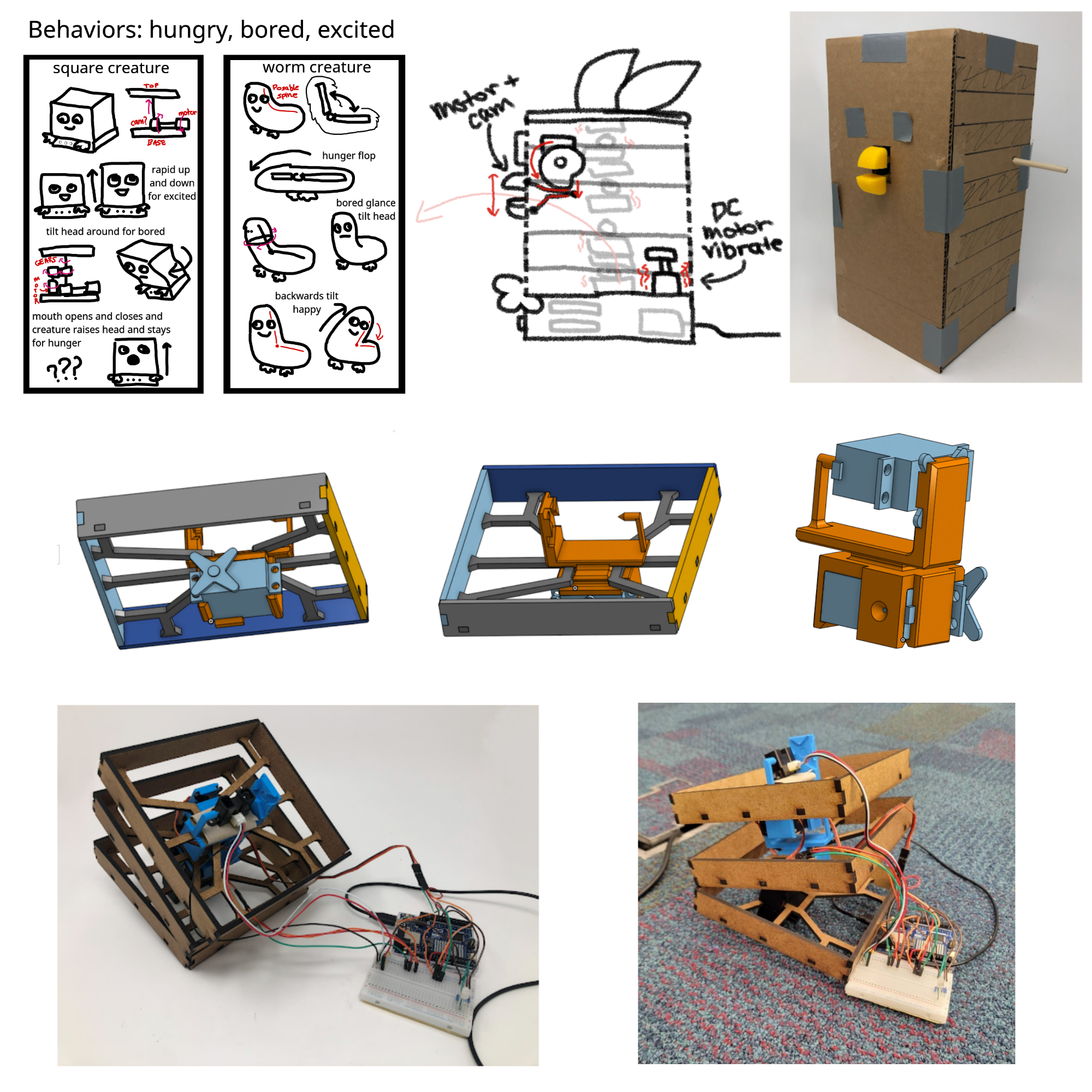
During our first sprint, we were mainly ideating on what behaviors we wanted the creature to have and
how we wanted to go about making those behaviors possible.
We wanted to have a system that is able to do multiple motions with a limited amount of components
since the design has very firm space constraints.
We also wanted to design the creature to be able to be able to revert back to its original standing
position after a behavior ended.
Our original design included a spine made up of six servos. We created the boxy shape of the
creature by attaching the frame to the servos which allows
it to have both a distinct shape and a moveable body. We considered having the beak be able to open
and close via cam when it sensed that food was in its beak. Another mechanical
aspect we explored was having the creature be able to vibrate by using a DC motor.
We chose six servos because we could have three servos move in one axis and the other three servos
move in another axis. This would allow the creature to bend forward and wiggle around.
We wanted it to bend over and go to sleep when a blanket was put on it and we wanted it to wiggle
when it felt happy or excited.
Sprint 1 Electrical Design
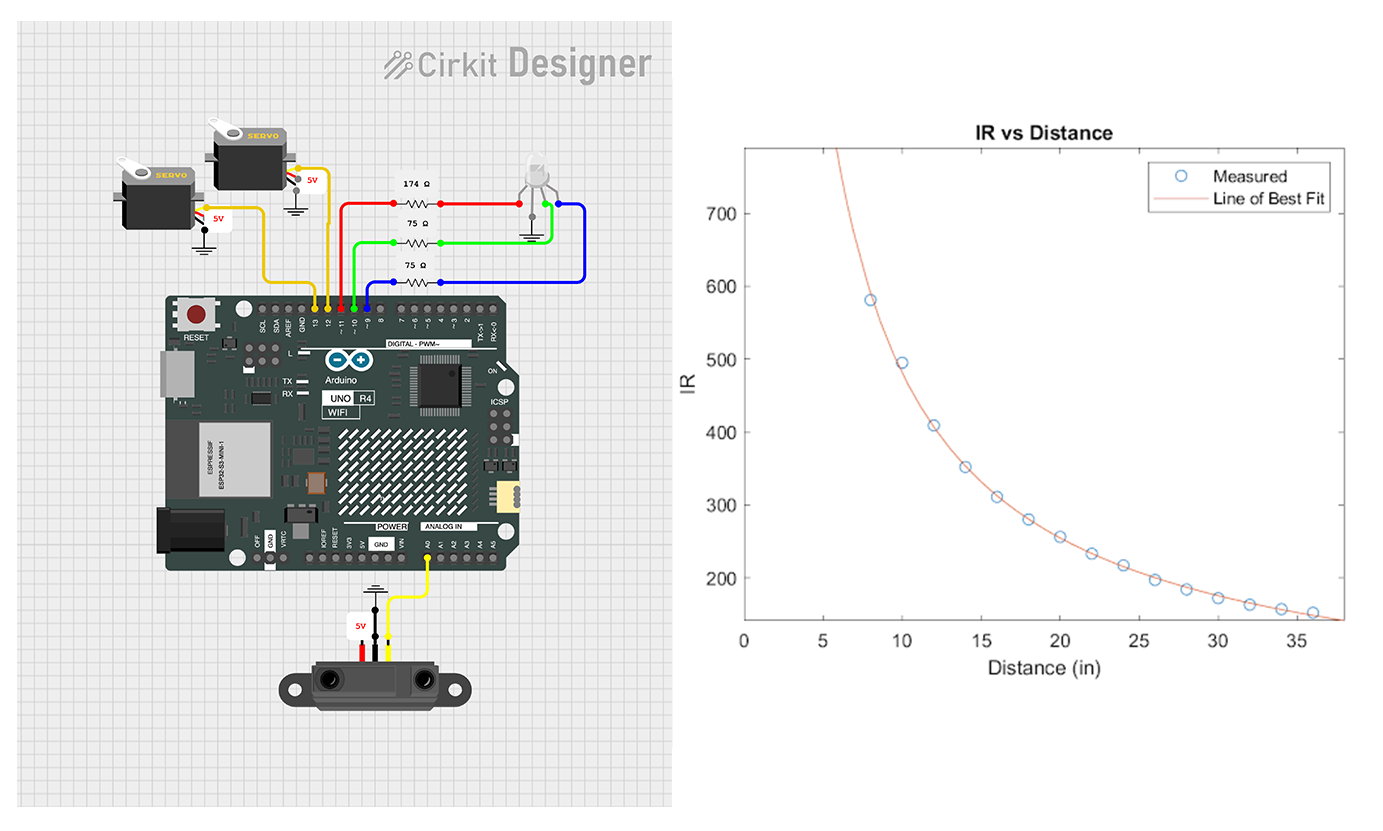
During sprint 1, we ordered the sensor we needed. They did not arrive until after the end of sprint 1. As a result, we substituted an IR Distance sensor. The purpose of this was to demonstrate an interaction. We paired this sensor with two servos in a demonstration of a small segment of our early spine design. We also included an RGB LED that we scavanged from the Electrical Stockroom. This was meant to demo how the light would correspond to interactions. All of these components were hooked up to the Arduino R4 Wifi that we used throughout the project. At this point, the Arduino was powered and uploaded to from a laptop.
Sprint 1 Software Design
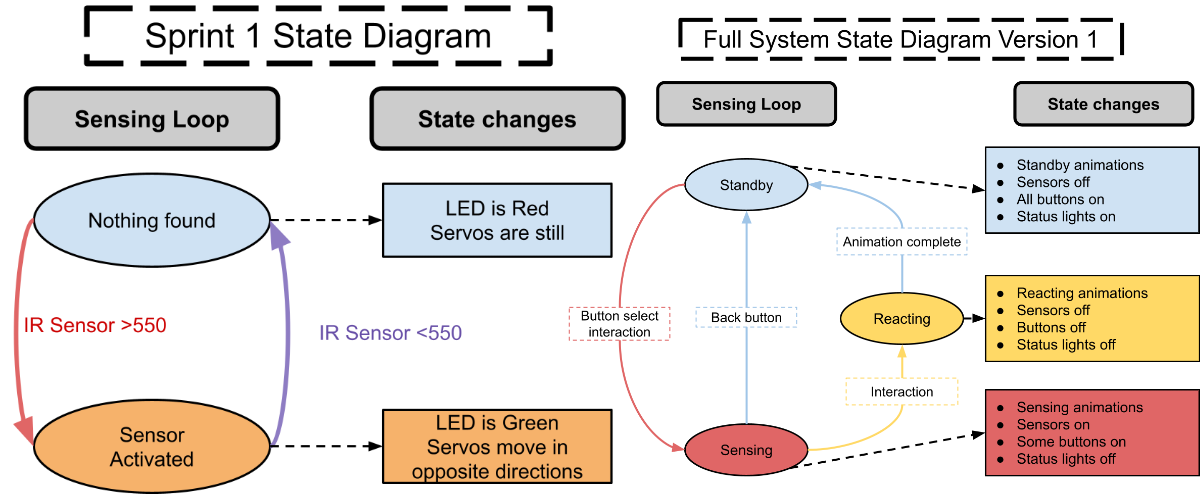
Since we were focusing as a team on creature design and were lacking some of the electrical components we wanted, we designed a simple sensing loop for Sprint 1 that could integrate easily and communicate the idea of a Finite State Machine. The state diagram is pictured on the left. The creature had two states: Nothing Found and Sensor Activated. While in Nothing Found, the LED was red and the servos remained still, while in Sensor Activated the LED was green and the servos moved. The creature switched states depending on whether the sensor reading was high or low.
Since Sprint 1 was primarily used for design exploration, a theoretical full state machine for the creature was also created, pictured on the right. The creature would have had three main states—Standby, Sensing, and Reacting—which would have been changed through user interactions. This control system was inspired by Tamagotchis, which feature slowly draining health bars that prompt user interaction through button presses. During Standby, the creature would have lost “health.” This would have been addressed by pressing a button to interact with the creature, initiating the Sensing mode, where the creature would have used its sensor to detect user interaction. If the user interacted successfully, the creature would have played a happy animation and reset its health. A back button option was included to prevent soft locks in case the sensor failed to register interaction.